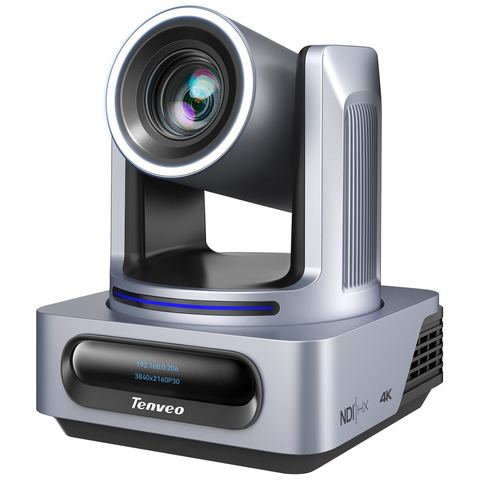
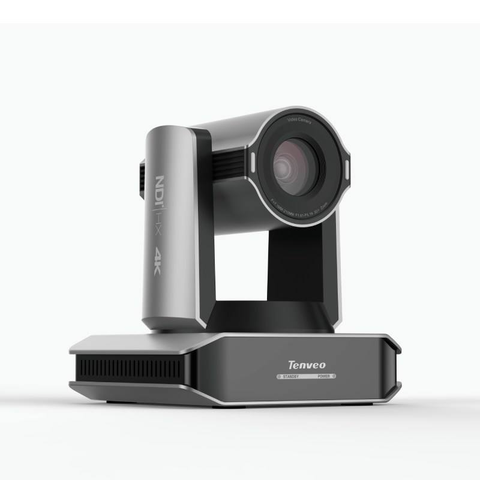
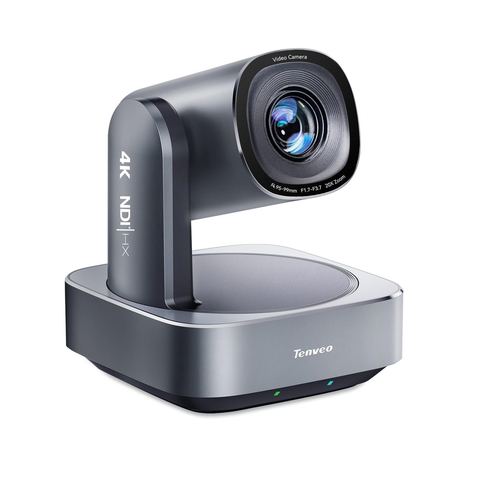
A PTZ camera is a remote-controlled video camera that can pan (turn left and right), tilt (up and down) and zoom on command. It is mounted on a wall, ceiling or tripod and controlled from a joystick, software or its own AI tracking, so one person can run several cameras without anyone standing behind them. Churches, schools, councils, boardrooms and event venues use PTZ cameras to livestream and record.
Updated
PTZ stands for pan, tilt and zoom. A PTZ camera is a video camera on a motorised head that you control remotely: it turns left and right (pan), looks up and down (tilt) and zooms in and out, all without anyone touching it. This guide explains how PTZ cameras work, how they differ from other cameras, and how many a venue usually needs.
How a PTZ camera works
The camera is mounted once, on a wall bracket, ceiling, shelf or tripod, usually at the back or side of the room. From then on it is controlled from somewhere else:
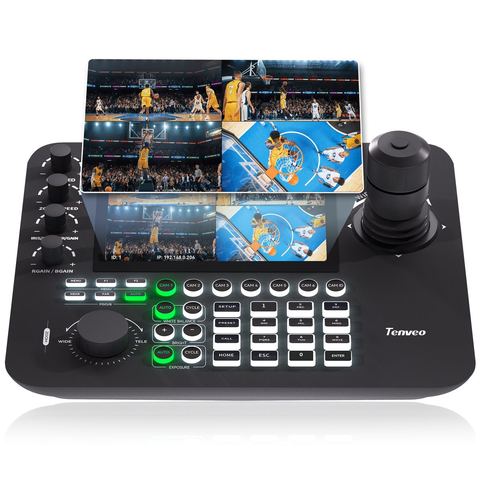
- A joystick controller, such as the Tenveo KB300PRO, for smooth live moves and one-button shots.
- Software on a computer, such as vMix or OBS, or the camera's own web page.
- The camera itself, using AI tracking to follow a presenter or preacher automatically.
Most PTZ cameras also store presets: saved positions such as "pulpit close-up", "worship team" or "whole stage". One button press moves the camera straight to that shot.
PTZ camera vs camcorder, webcam and CCTV
| Camera type | Who moves it | Typical use |
|---|---|---|
| PTZ camera | Remote control, presets or AI tracking | Livestreaming and recording services, lectures, meetings and events with few or no camera operators |
| Camcorder | An operator standing behind it | Productions with a crew for every camera |
| Webcam | Fixed, or digital zoom only | One person at a desk, or a small huddle room |
| CCTV camera | Fixed or security-PTZ | Security recording, not live production |
The big difference is optical zoom and broadcast outputs. Tenveo PTZ cameras zoom optically from 12x to 30x, so a camera at the back of a hall can still get a head-and-shoulders shot, and they send broadcast-quality video over HDMI, 3G-SDI, USB or the network (NDI).
Features worth knowing
- Optical zoom: 12x suits meeting rooms; 20x suits most churches and halls; 30x suits large sanctuaries, sport and long throws. See the zoom and distance guide.
- Resolution: from 1080p60 to 4K60 in the Tenveo range. A 4K camera streamed at 1080p still looks sharp when you crop in slightly.
- AI tracking: the camera follows a moving presenter on its own, so a single camera can cover a sermon or lecture with nobody operating it.
- NDI and PoE: with NDI, video, audio and camera control travel over a normal network cable, and with PoE the same cable powers the camera. One cable per camera. See SDI, HDMI, USB or NDI?
- USB: the camera appears to a computer as a webcam, so it works directly in Zoom, Microsoft Teams and Google Meet.
How many PTZ cameras do you need?
- One camera suits a small church, classroom or boardroom: a tracking shot of the speaker, with a wider preset for the room.
- Two cameras are the most common setup: one on the speaker, one wide shot of the stage or congregation.
- Three or more suit larger churches, conferences and events that want close-ups of musicians, panels or the audience.
What else you need
For one camera into Zoom or Teams, a USB cable and a computer are enough. For two or more cameras you also need:
- A way to control them: a joystick controller (KB200MAX, KB300PRO or KB500) or software.
- A way to switch and stream: a hardware switcher such as the PC500, or software such as vMix or OBS on a computer.
- For NDI cameras, a PoE network switch, such as the 8-port PoE+ switch.
- A clean audio feed from your sound desk.
Common questions
Does a PTZ camera need an operator?
Not necessarily. With AI tracking and presets, many churches and lecture halls run one or two PTZ cameras with a single volunteer, or with nobody at all during a lecture.
Can I use a PTZ camera with Zoom or Microsoft Teams?
Yes. Models with USB output, such as the VL20U, appear to the computer as a webcam. The VL20N is Zoom certified.
Is a PTZ camera the same as a security camera?
No. Security PTZ cameras are built for surveillance recording. Production PTZ cameras like Tenveo's are built for live video, with optical zoom, smooth movement, presets and broadcast outputs such as HDMI, 3G-SDI and NDI.
Which PTZ camera should a church start with?
Most churches start with the Tenveo VX20M-4KN: 4K, 20x optical zoom, NDI, PoE and presenter tracking. Larger venues choose the 30x 4K60 X60. Compare all models.
Videos
Videos from Tenveo's official YouTube channel. Some use a sister model or a different Tenveo camera to show a feature or setup step. Ask us if you're unsure what applies to yours.
Want a second opinion on your setup?
Send us your room measurements and what you stream to, and we'll recommend a kit and quote it in rand.