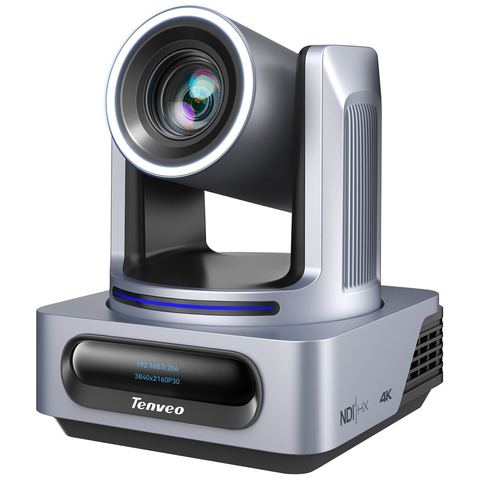
Most Tenveo PTZ cameras have four ways to send video: HDMI, 3G-SDI, USB and the network (IP or NDI). Choosing the right one mostly depends on the cable run from the camera to wherever the video is needed. This guide compares all four.
At a glance
| Connection | Typical cable length | Carries | Best for |
|---|---|---|---|
| HDMI | up to about 10–15 m | Video and audio | Camera close to the switcher or screen |
| USB | about 3–5 m | Video to a computer | Meeting rooms and a single camera into Zoom, Teams or OBS |
| 3G-SDI | up to about 100 m | Video and audio (up to 1080p60) | Long runs to a switcher that has SDI inputs |
| Network (NDI / IP) | 100 m per cable run | Video, audio, camera control and power (PoE) | Several cameras, long runs, one cable per camera |
Lengths are typical for passive cables of good quality at 1080p. Active cables, fibre and extenders go further. 4K over HDMI usually needs shorter or active cables.
HDMI
HDMI is on almost every camera, switcher, TV and capture card, so it's the easiest to start with. The limit is distance: beyond about 10–15 m, the picture can drop out or flicker, and HDMI plugs aren't built to be pulled through conduit. Use HDMI when the camera is within a few metres of the switcher, for example a camera on the sound desk.
USB
With USB, the camera appears to a computer as a webcam, so it works in Zoom, Teams, Google Meet and OBS without drivers. That makes USB ideal for meeting rooms and lecture PCs. Cables over about 5 m need an active USB extender, and one computer usually handles only one or two USB cameras well.
3G-SDI
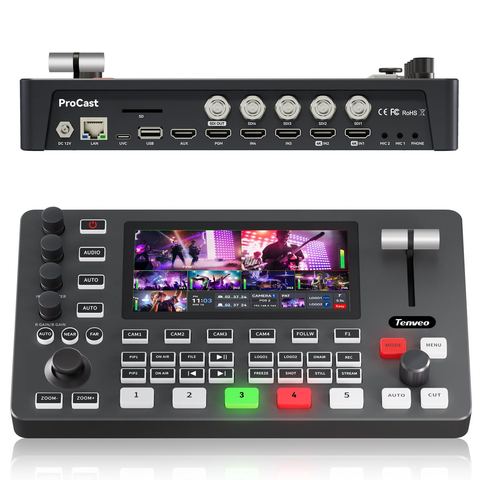
SDI is the broadcast standard. It uses coax cable with locking BNC connectors and runs up to about 100 m at 1080p60, which easily covers a church or hall. It's very reliable, but your switcher needs SDI inputs (the PC500 has four), and you still need a separate cable for camera control and one for power.
NDI and IP streaming
NDI sends video over an ordinary computer network. With a PoE network switch, a single network cable to each camera carries:
- the video and audio,
- pan, tilt and zoom control from your joystick or software,
- and the camera's power.
Each cable can run 100 m back to the switch, and any computer or NDI device on the network can use any camera. That's why most new multi-camera church installations use NDI. Tenveo cameras use NDI|HX, a compressed version that's easy on the network.
What you need for NDI:
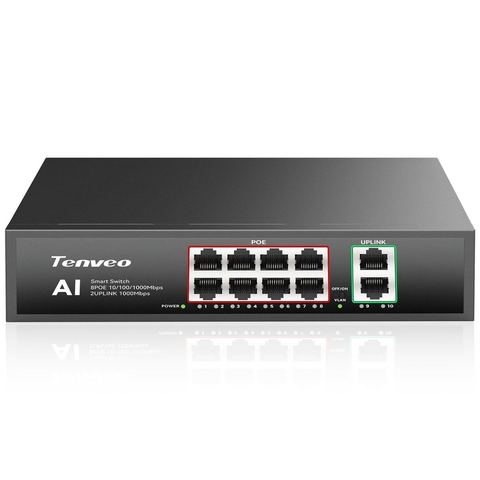
- A gigabit PoE switch with enough power for all your cameras, such as the 8-port 120W PoE+ switch.
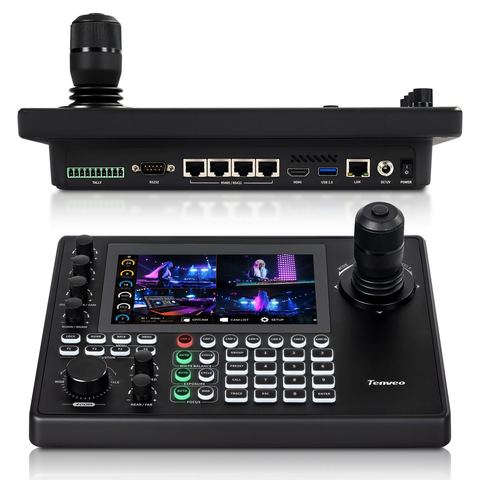
- An NDI-capable controller or software. The KB300PRO and KB500 controllers, the PC500, vMix, and OBS with the free NDI plugin all work.
- A separate network for the cameras, or a VLAN from your IT person, so video traffic doesn't compete with the office Wi-Fi.
Some models, including the new X60, also support Dante AV-H, which fits into venues that already run their audio over a Dante network.
You can use more than one at once
Most Tenveo PTZ cameras send video on all their outputs at the same time. A common church setup is NDI to the streaming computer, SDI or HDMI to the projector or overflow screen, and control over the same network cable. You don't have to choose only one connection.
Which should you choose?
- One camera into a meeting-room PC: USB.
- One or two cameras near the desk: HDMI.
- Long runs to a switcher that already has SDI: 3G-SDI.
- Two or more cameras, long runs, a new install: NDI with PoE.
Want a second opinion on your setup?
Send us your room measurements and what you stream to, and we'll recommend a kit and quote it in rand.