For a 1080p30 livestream, YouTube recommends a video bitrate of 14 Mbps (minimum 5 Mbps), and Facebook Live caps 1080p30 at 6 Mbps. Because upload speeds dip, plan for a tested, wired upload of at least 1.5 to 2 times your stream bitrate: about 10–12 Mbps for a 6 Mbps 1080p stream. Streaming to two platforms at once from the same encoder roughly doubles the upload you need.
Updated
The most common reason a church or event livestream buffers or drops is not the camera. It is the internet connection. This guide gives the bitrates YouTube and Facebook publish for each resolution, how much upload speed to allow on top, and how to test and back up a South African connection before going live.
YouTube: recommended bitrates
YouTube publishes a minimum and a recommended video bitrate for each resolution and frame rate (H.264):
| Resolution | Frame rate | Minimum | Recommended |
|---|---|---|---|
| 720p | 30 or 60 fps | 3 Mbps | 8 Mbps |
| 1080p | 30 fps | 5 Mbps | 14 Mbps |
| 1080p | 60 fps | 6 Mbps | 17 Mbps |
| 4K | 30 fps | 11 Mbps | 42 Mbps |
| 4K | 60 fps | 14 Mbps | 50 Mbps |
Source: YouTube Help, "Choose live encoder settings, bitrates and resolutions". Add about 0.1–0.3 Mbps for audio.
Facebook Live: maximum bitrates
Facebook Live accepts up to 1080p and publishes a maximum bitrate rather than a recommended one:
| Resolution | 30 fps | 60 fps |
|---|---|---|
| 720p | 4 Mbps | 6 Mbps |
| 1080p | 6 Mbps | 9 Mbps |
Source: Meta for Developers, Live Video API video format recommendations. Meta also recommends a keyframe every 2 seconds, and no more than 4.
How much upload speed to allow
Your upload speed is not constant. It dips when other people on the network upload photos, back up phones or join a video call. A stream that uses all of your upload will stutter the moment that happens. Our rule of thumb:
- Plan for a tested upload of at least 1.5 to 2 times your stream bitrate. A 6 Mbps 1080p stream needs about 10–12 Mbps of reliable upload.
- Streaming to two platforms at once from the same switcher or computer sends two copies, so it roughly doubles the upload you need. A cloud multistreaming service can take one feed and send it on to several platforms instead.
- Keep the stream on its own connection or VLAN where you can, and stop congregation or guest Wi-Fi from sharing it during the service.
Quick picks
| What you stream | Suggested bitrate | Tested upload to aim for |
|---|---|---|
| 720p30 to Facebook or YouTube | 4 Mbps | 6–8 Mbps |
| 1080p30 to Facebook | 6 Mbps | 10–12 Mbps |
| 1080p30 to YouTube | 6–10 Mbps | 10–20 Mbps |
| 1080p30 to YouTube and Facebook together | 6 Mbps each | 20–25 Mbps |
Suggested figures are ClearCast Tech planning guidance based on the platform figures above. Always test on your own line.
How to test your connection
- Test at the time you will stream, for example on a Sunday morning, not on a quiet weekday.
- Plug in with a network cable. Test from the computer or switcher that will stream, not from a phone on Wi-Fi.
- Look at the upload figure, not the download. Many fibre and LTE packages have far less upload than download.
- Run a private test stream for 15–20 minutes as an unlisted YouTube stream or a private Facebook test, and watch it on a phone on mobile data.
Keeping the stream up in South Africa
- Fibre is the most stable option. Check the upload speed of your package, not just the headline speed.
- LTE and 5G work as a backup, but speeds vary with the time of day and the number of people nearby. Test them on a busy Sunday.
- Power: put the fibre box (ONT), router, network switch and streaming computer or switcher on a UPS or inverter, so a power cut doesn't end the stream.
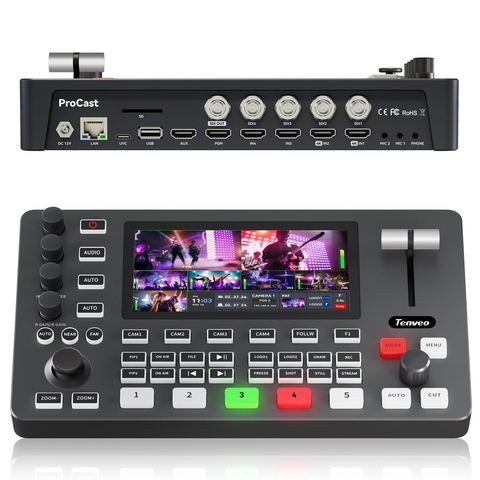
- Record locally as well. If the internet drops, you still have the full service to upload afterwards. The PC500 records while it streams.
Video
Videos from Tenveo's official YouTube channel. Some use a sister model or a different Tenveo camera to show a feature or setup step. Ask us if you're unsure what applies to yours.
Sources
- YouTube Help: Choose live encoder settings, bitrates and resolutions
- Meta for Developers: Live Video API reference (video format recommendations)
Want a second opinion on your setup?
Send us your room measurements and what you stream to, and we'll recommend a kit and quote it in rand.