Stream every Sunday with cameras one volunteer can run.
For members who are sick, travelling or watching from far away. Ready-made camera setups for small, medium and large churches, built around the Tenveo X60 and sized to South African sanctuaries, budgets and bandwidth.
- In stock in Durban
- Quotes in rand
- Purchase orders accepted
- CSD registered
ClearCast Tech supplies PTZ camera systems for churches that want to livestream their own services. A small church can start with one Tenveo X60; medium and large churches add a second or third camera, a joystick controller and a switcher, so one volunteer at the sound desk can run the whole stream. Each camera needs one network cable, systems are quoted in rand, and everything carries a 2-year warranty. Prefer us to stream for you? See church livestreaming.
Updated
Three things every church stream has to survive
A different person every Sunday
Save the pulpit, worship team and wide shots as presets, one button each. AI tracking follows the preacher when they walk, so nobody needs camera experience.
Upload speed, not download
Most church lines are fast to download and slow to upload. We size the stream to your connection so it doesn't buffer in the middle of the sermon. See the figures.
Keep streaming when the power goes
With NDI and PoE, each camera is powered by its network cable. Put the PoE switch, streaming PC and router on one UPS and the whole system keeps going through an outage.
Pick the size of your sanctuary
Every setup is built around the Tenveo X60, the camera we recommend for most churches. Seat counts are a guide: what really decides the camera is the distance from the back wall to the pulpit (zoom distance guide).
One camera
The best first step up from a phone on a tripod. One X60 at the back of the church gives a sharp, steady close-up of the preacher, with presets for the pulpit, stage and a wide shot. It connects to the church laptop by USB or NDI and streams through free software such as OBS, or vMix.
- AI tracking keeps the preacher in shot
- Control it from the laptop, or add a joystick later
- Grows into the two-camera setup when you're ready
Two cameras, one volunteer
The X60 covers the pulpit from the back and a second camera covers the worship team. One volunteer at the sound desk moves both cameras from the KB300PRO joystick, and the PC500 switches, streams and records, without needing a computer.
- Preacher close-ups and worship-team shots in one stream
- One network cable from each camera to the sound desk
- Records the service while it streams
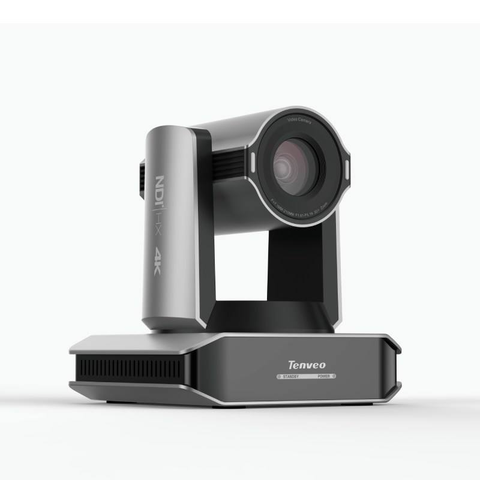 X60Tenveo
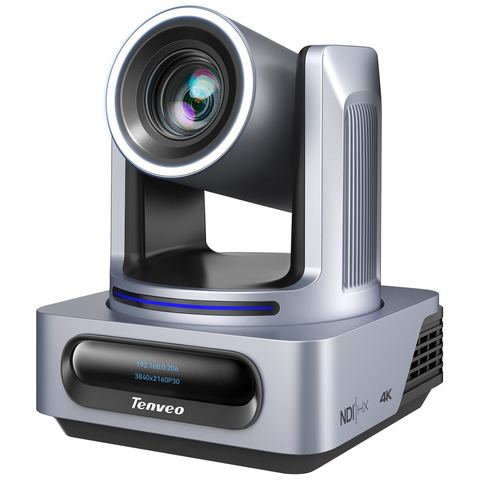 VX20M-4KNTenveo
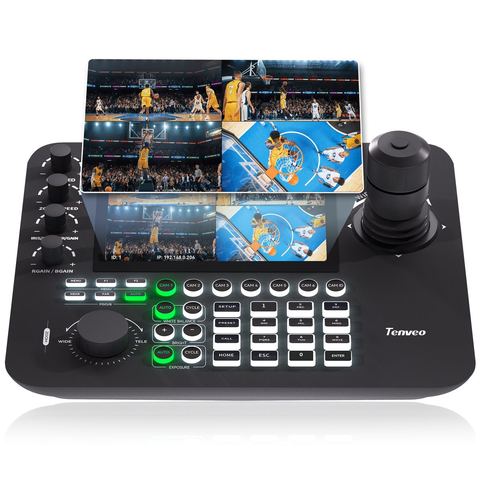 KB300PROTenveo
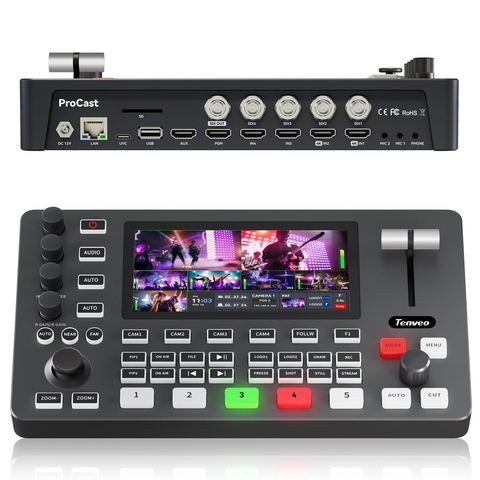 PC500Tenveo
Three cameras, a full production
Pulpit, worship and wide or congregation angles, all run from one desk. The X60 stays on the preacher, a two-camera NDI kit covers the stage and the room, and the KB500 controller handles all three. The PoE switch powers every camera from one place, which is where the UPS goes.
- Three angles for a broadcast-style service
- Room to add overflow-hall screens or a second venue
- Training for your media team included in the quote
X60Tenveo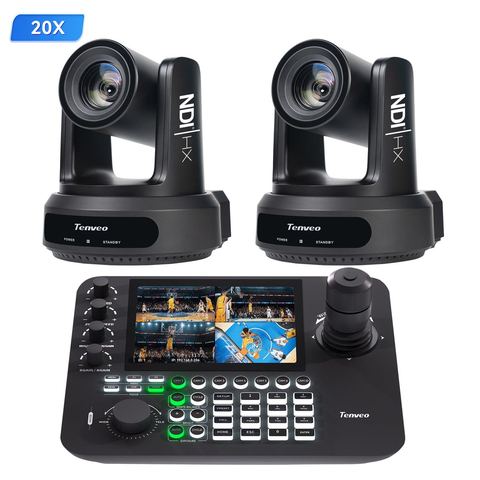 2× NVMAX620AN + KB300PROTenveo
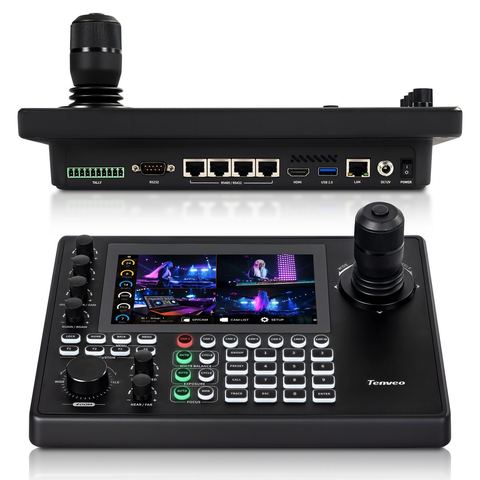 KB500TenveoPC500Tenveo
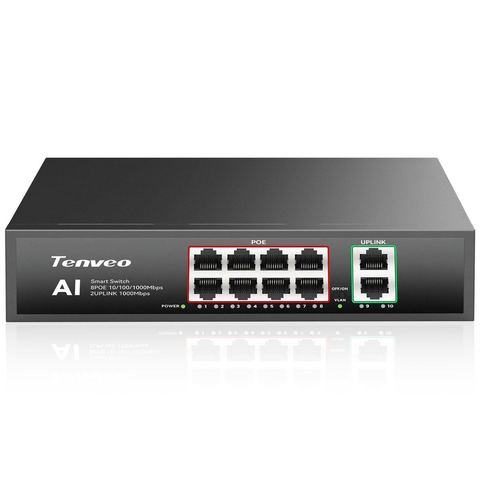 POE8Tenveo
Simpler than the sound system
- Mount the main camera at the backThe X60 gets a tight, steady close-up of the pulpit from the back wall, out of everyone's way.
- Run one cable per cameraNDI and PoE carry video, power and control over a single network cable to the sound desk.
- Save your shots as presetsPreacher, worship, wide and announcements, each on one button of the joystick.
- Stream to YouTube or FacebookFrom the PC500, OBS or vMix, sized to your church's upload speed.
- We train your teamYour volunteers learn the system before the first Sunday, and we're a WhatsApp away after that.
The camera follows whoever is speaking
We can set up vMix or OBS to switch cameras automatically from your microphones. When the pastor speaks, the stream cuts to the pulpit. When the worship leader starts, it cuts to the stage. Your volunteer can watch the chat instead of the joystick.
Before you buy anything
How to livestream a church service: a South African equipment checklist
Cameras, audio, upload speed, backup power and privacy: what to sort out before your first stream.
Buying guideWhat zoom do I need? A PTZ camera distance guide
Measure the back wall to the pulpit and match it to the right zoom.
InternetHow much upload speed do you need to livestream?
YouTube and Facebook figures, and how to test your church's line.
Questions churches ask
How many people do we need to run the stream?
One. Shots are saved as presets on the joystick controller and AI tracking follows the preacher, so one volunteer can run a two- or three-camera service from the sound desk.
What internet speed does our church need?
Upload speed is what counts. A stable wired connection with roughly 10 Mbps upload or more is a good target for a 1080p stream. Test it during a service, when everyone's phone is on the Wi-Fi too.
Will the cameras work in a dim sanctuary?
The X60's large 1/1.8-inch sensor and 30x zoom were chosen for exactly that: sharp close-ups of the pulpit from the back of the room. If your sanctuary is very dark, tell us and we'll advise on lighting too.
Can the church pay with a purchase order?
Yes. We're a CSD-registered supplier, quote in rand and accept purchase orders. See procurement details.
What warranty do we get, and who supports us?
A 2-year warranty, activated when you register your product. Support comes from us in Durban by phone and WhatsApp.
Do we need a licence to stream worship songs?
Usually yes. Many churches use a CCLI streaming licence alongside their church copyright licence. Check your cover with CCLI before your first stream.
We only stream special services. Can you do it for us?
Yes. For Easter, conferences, weddings and funerals, our church livestreaming service brings the crew and cameras to venues in Durban, Pietermaritzburg and across KZN.
Can we start small and add cameras later?
Yes. Start with one X60 and add a second camera, controller and switcher when the budget allows. Everything in these setups works together over the same network.
Tell us about your sanctuary
Seats, the distance from the back wall to the pulpit, and where you stream. We'll reply with a recommended setup and a formal quote in rand, usually within one business day.
- Phone
- 071 748 2830
- 071 748 2830